Roadside America App for iPhone | Support
 Roadside America App for iPhone™
Sample Screen Views
To give you a feel for what the includes and how it works, behold these sample views (iOS 11+, App v 2.0.0):
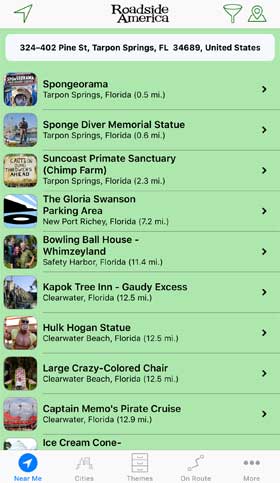
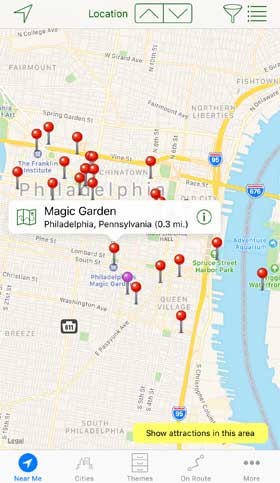
Near Me View
The Near Me tab first displays close-by attractions -- either all that are within 25 miles, or the first 25 at any distance. Toggle the List  and Map
  icons on the upper right. On the map, red pins indicate our must-see attractions, (but if it's on the map it has some merit).
You can set a different location to see what's around. In the List view, use the address text box to search by address, city, and/or postal code. In the Map view drag the map to a new area and tap-and-hold to drop a pin. To return to your actual location, tap the Arrowhead icon  .
.
If you change location, you can reload POIs by giving the phone a shake. Pull-to-Refresh: You can also reload by pulling the top of the list.
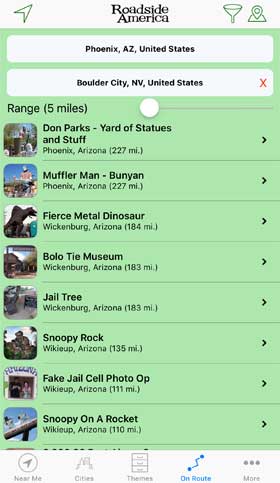
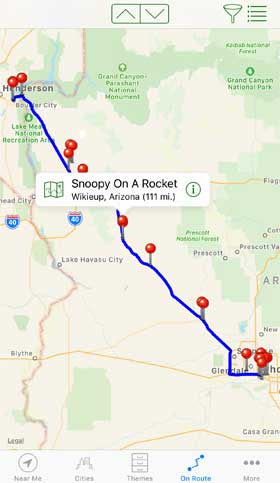
On Route View
The On Route tab allows you to enter a start and end city, and see what Roadside America attractions are along the path. Toggle the List and Map icons on the upper right. You can make the corridor wider to see places a little further off the route. On Route maximum is 500 miles per search. If you are in an attraction-dense region, such as Los Angeles, the pins will max out. Try a narrower corridor, shorter distance and/or filter pins to higher ratings.
 Themes
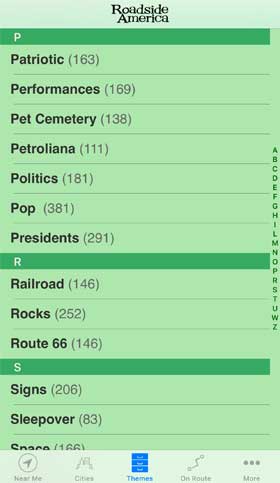
We've tagged attractions with about 70 categories that we think are fun and useful. You can browse the list of themes; the count shown is the number of current attractions in that Theme. Some of our Themes are fairly conventional ways to groups tourist attractions, statues, and landmarks. Some Themes are a bit out there.
 Search within a Theme
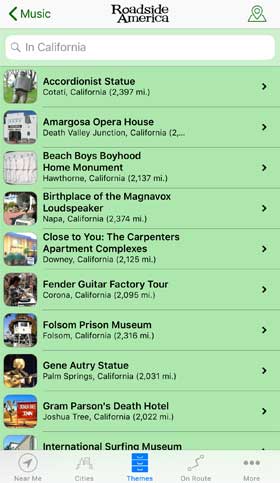
You can pull down search on many list views to do a text search for a place. If you have permitted the app to know what your current location is, each attraction will show the distance in mileage.
Detail View
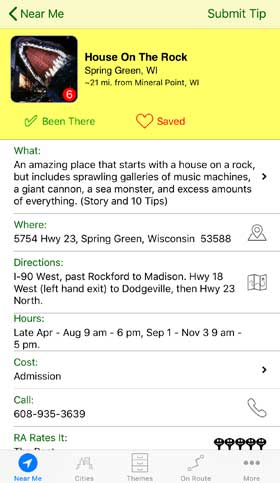
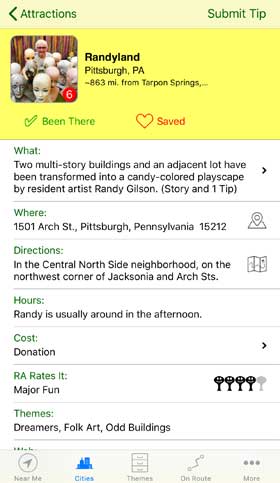
Every attraction has a Detail View, where you'll find a description, stories, tips, address, directions, photos, etc. From here you can go to map a route to the attraction, and save the attraction to your Saved List. You can even snap a photo within the app and submit it to RoadsideAmerica.com along with a tip.
Been There! Use this checkbox to mark any attractions you've ever visited, and add them to a personal tally of Roadside America sights.
RA Rates: RoadsideAmerica.com editors rate each attraction on their subjective scale of 1- to 5- Smiley Face Water Towers.

 Galleries
Attractions with photos will display them in the Gallery, which you can get to by tapping the thumbnail photo in the Detail view. Drag through all the photos, or tap and step through by tapping the arrow. Tap Done to return to the Detail view.
 Submit A Tip
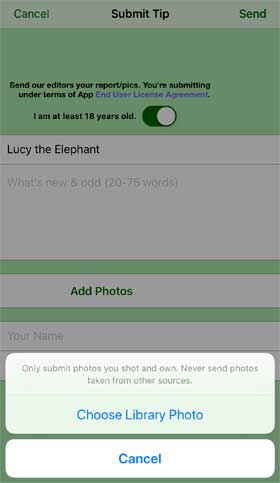
Submit a visitor tip to RoadsideAmerica.com from any attraction Detail page by tapping Submit Tip. You can also find the tip form at More, Submit Tip. There's an area to write your tip, add your name and email. You can also send photos with the tip. Just tap the Add Photo button -- you can choose to take a photo with your iPhone, or select an existing photo from your Photo Library. You can submit up to 5 photos per tip.
(Note: Successful Tip submission requires a network connection when you submit.)